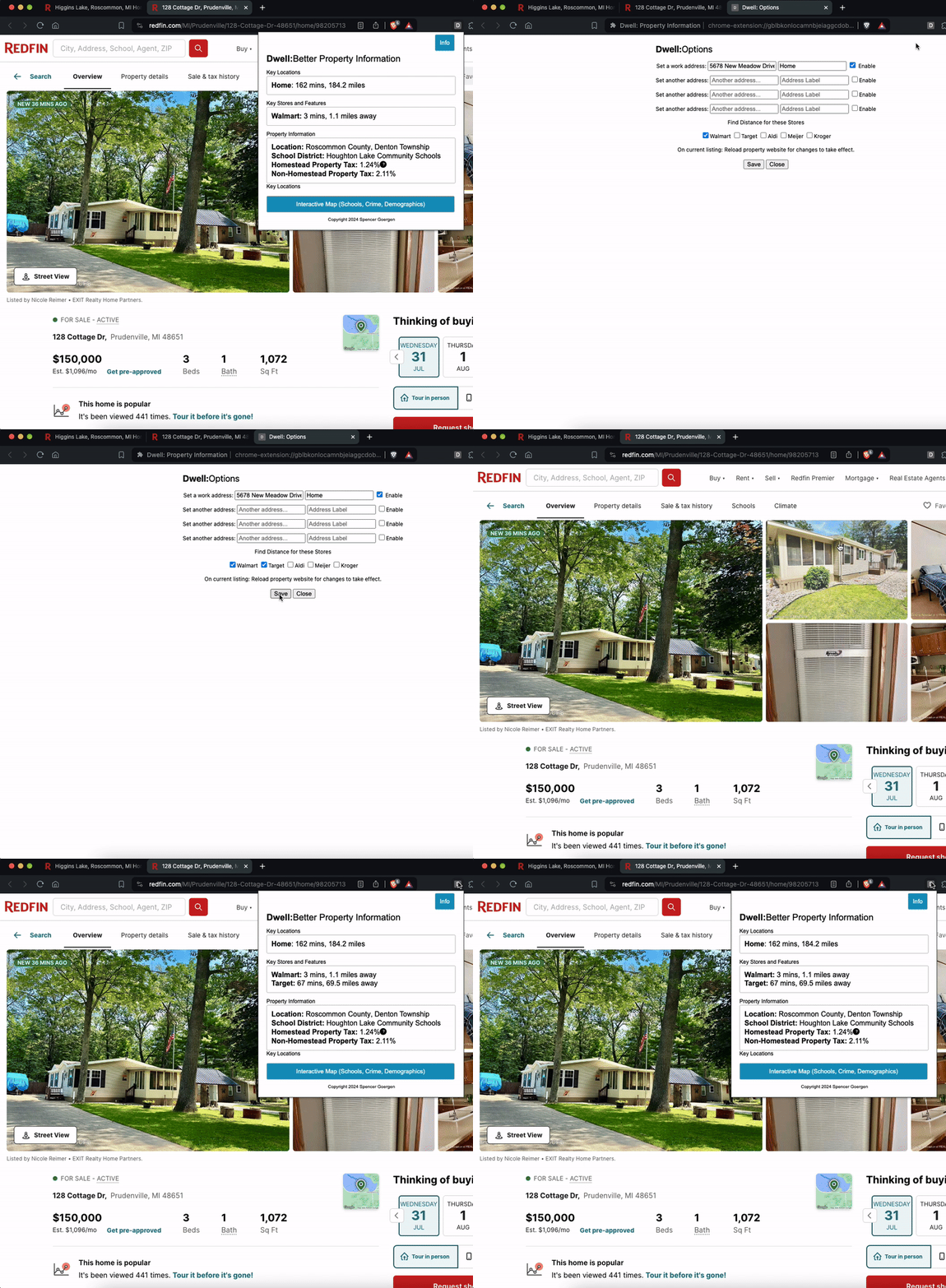
The Idea for Uncap Tax
Real estate listing sites are INACCURATE when it comes to estimated real estate property tax. The only real way to find accurate information is to visit the Michigan.gov millage rate table, and search by county, township, and school district to find your tax millage rate for a potential property.
But who has time to look that up for each property? And how do you even find what county, township and school district a property is located?
Two Ways of Implementation
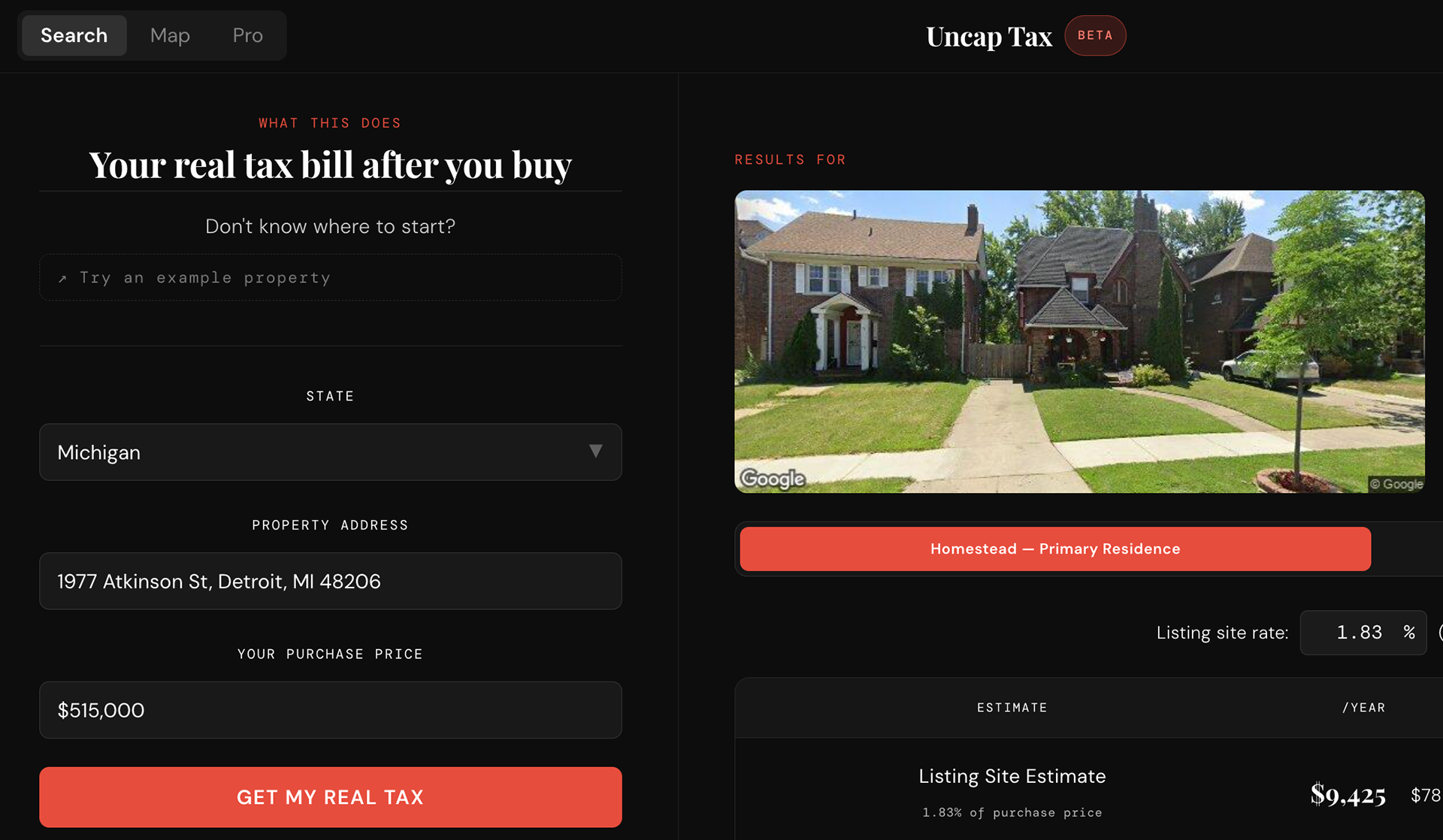
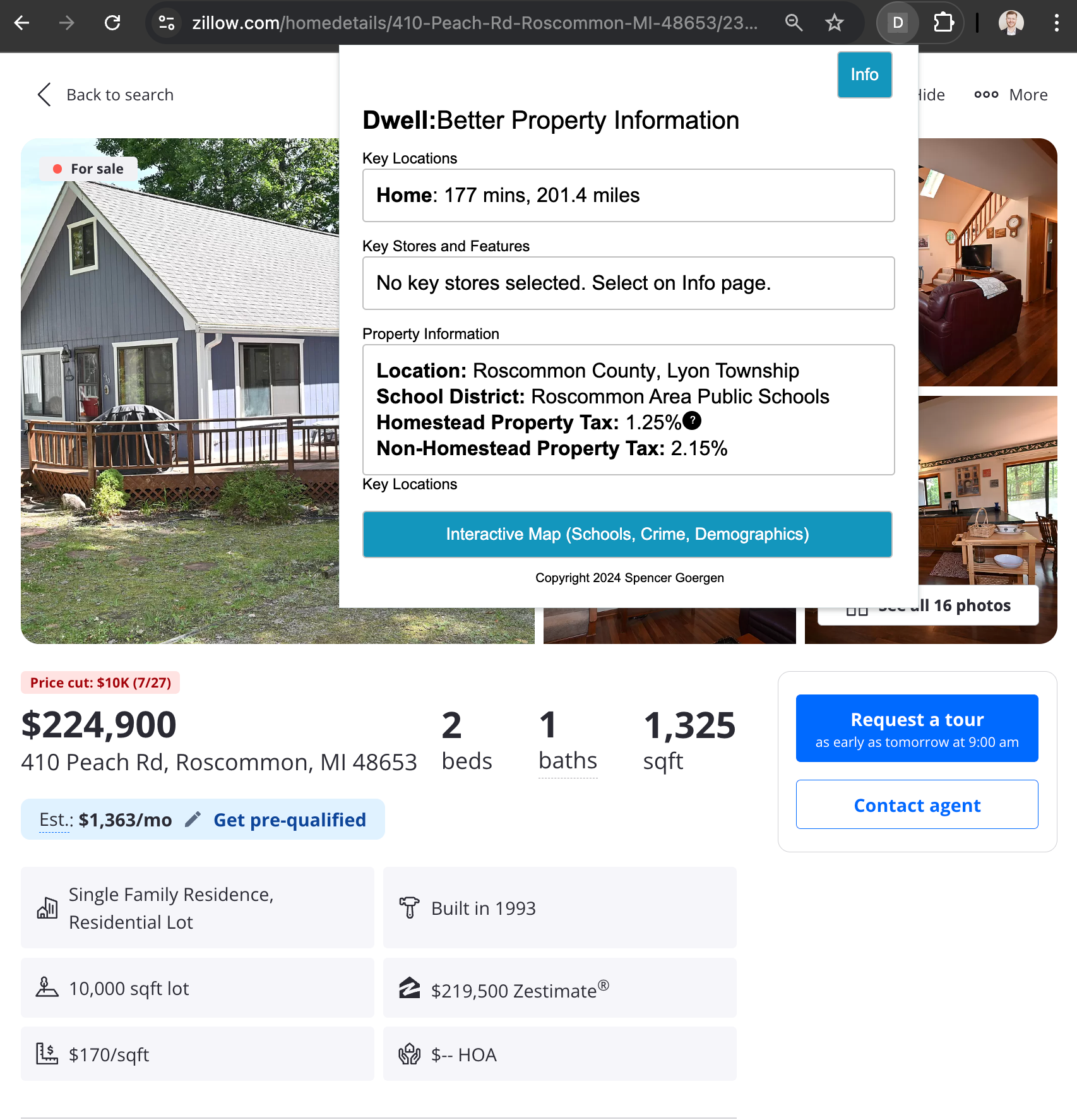
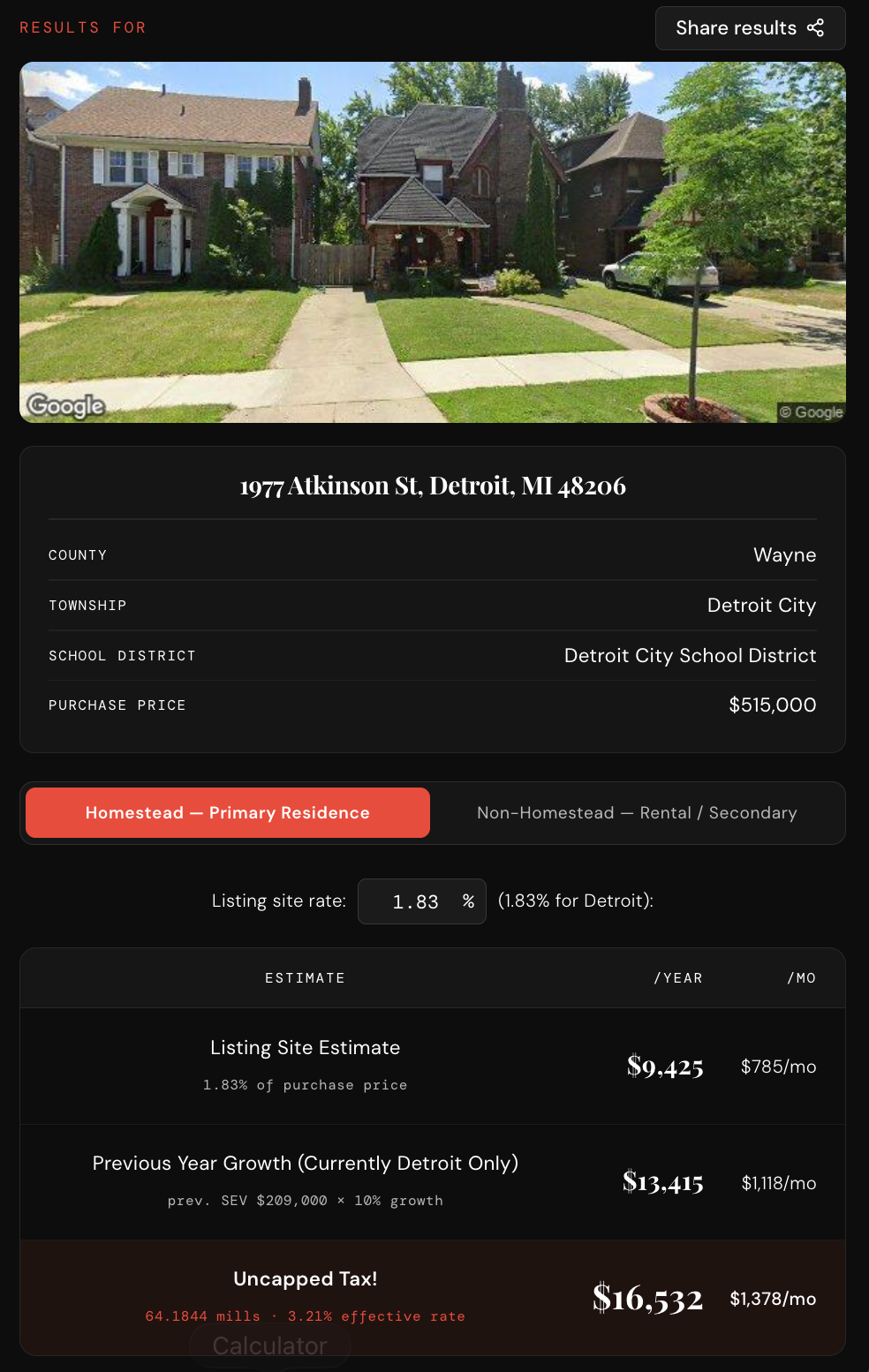
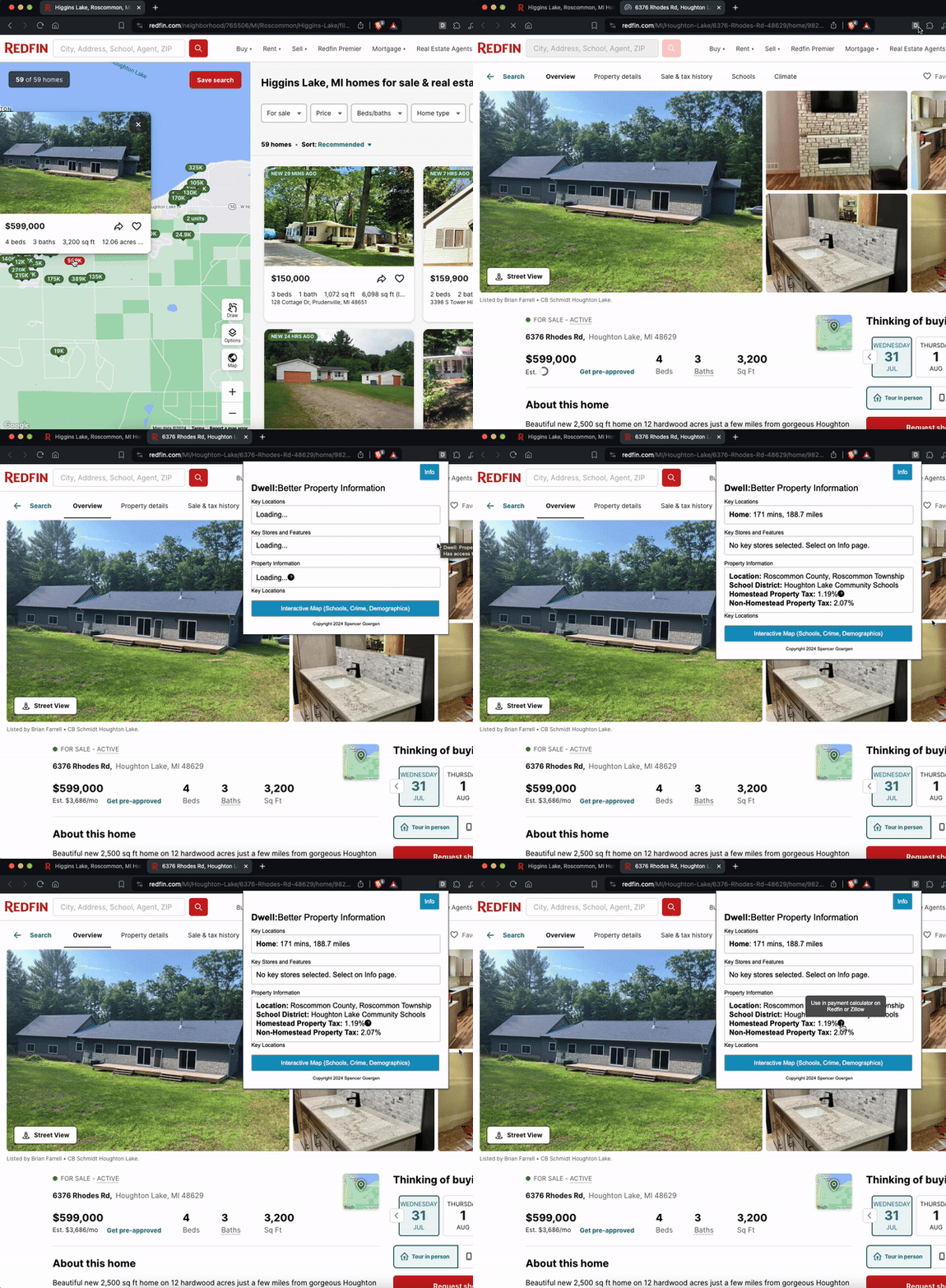
Two ways of implementation: 1. Website (Left image) 2. Chrome Extension (Right image)
1: Website
Map Search (ABOVE); Search Results (RIGHT)
The tool works by taking a purchase price, estimating the post-sale State Equalized Value (SEV), and then applying the correct millage rates for that property's exact taxing jurisdictions — which can include the county, municipality, and school district all at once. That last part is the hard problem: the U.S. has thousands of distinct taxing jurisdictions, so getting the right rates requires matching an address to the right combination of overlapping geographic boundaries. The underlying dataset was assembled and cleaned by hand from public records, and the map layers were built on top of that using Mapbox GL with county, township, and school district GeoJSON overlays.
The application is a React/Vite web app. Beyond the main site, there's a companion Chrome extension that surfaces tax estimates directly in the browser while users are browsing listings, and a Pro tier aimed at real estate professionals who want to run bulk lookups without leaving their spreadsheet workflow. All third-party API integrations — Mapbox, Google, and email — are managed through environment variables and handled server-side or via secure client tokens to keep credentials off the frontend.
2: Chrome Extension
The chrome extension was created within the standard extension template (popup, options, background) in HTML and js.
The mapbox API was used again, this time using a geocoding call for county, township and school district, rather than creating a layered map.
The URL is used to determine the address of the location which is eventually compared to the JSON containing the homestead and non-homestead tax table and the geoJSON with each of the location variables.
The output is the tax % for that property.
2: Chrome Extension (Add addresses / locations)
The user can add notable locations to receive the distance and driving time. This is calculated using a simple API call comparing the two addresses.
This allows the user to quickly compare different properties.
Since this is a private, unpacked extension, this implementation is not shareable.